Get Started with Generista
- Introduction
- How it works
- GRID
- VARIANTS
- RANDOM and NOISE
- ROTATION
- OPACITY
- SCALE
- POSITION
- Mixing Modifiers
Introduction
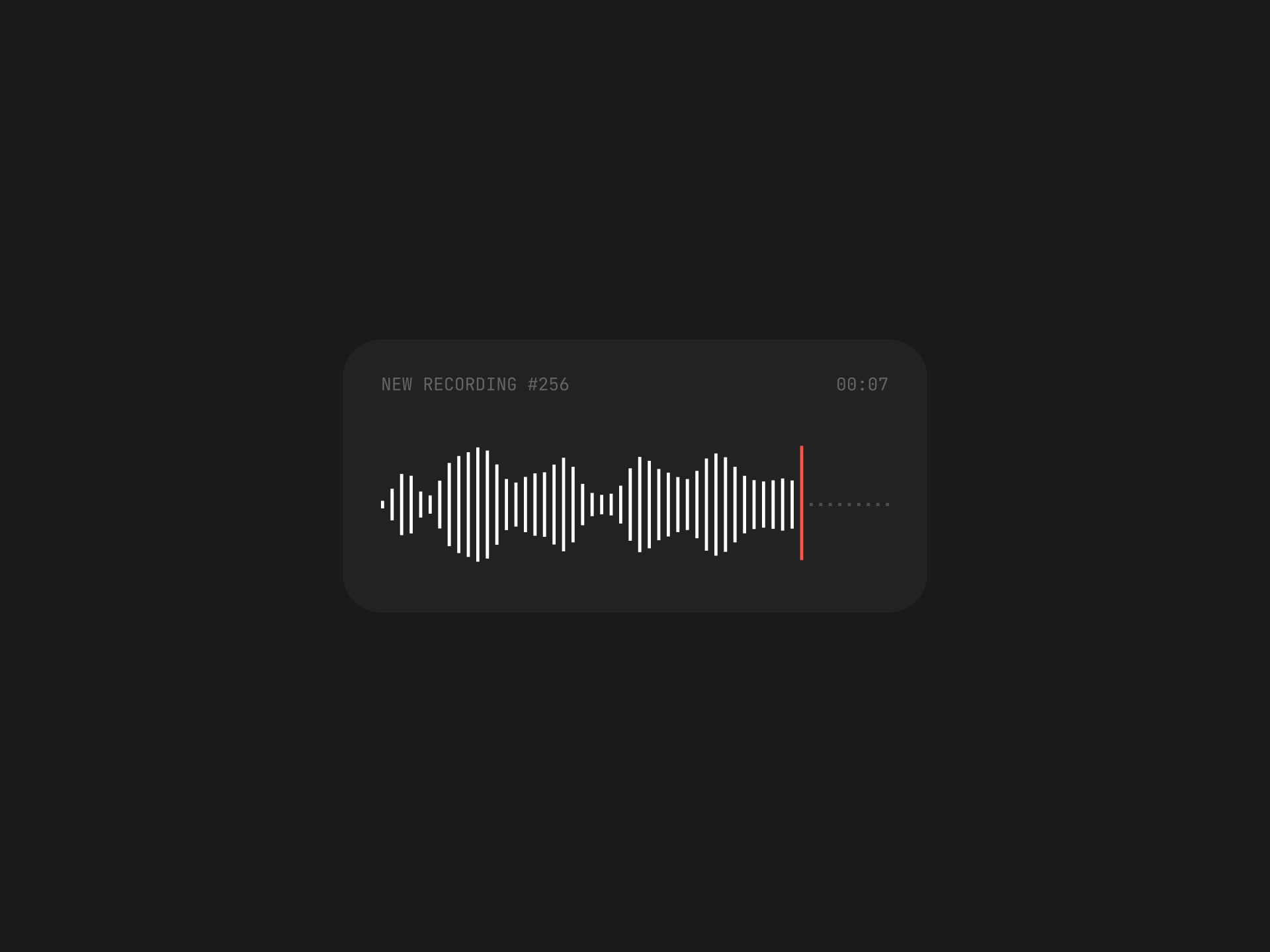
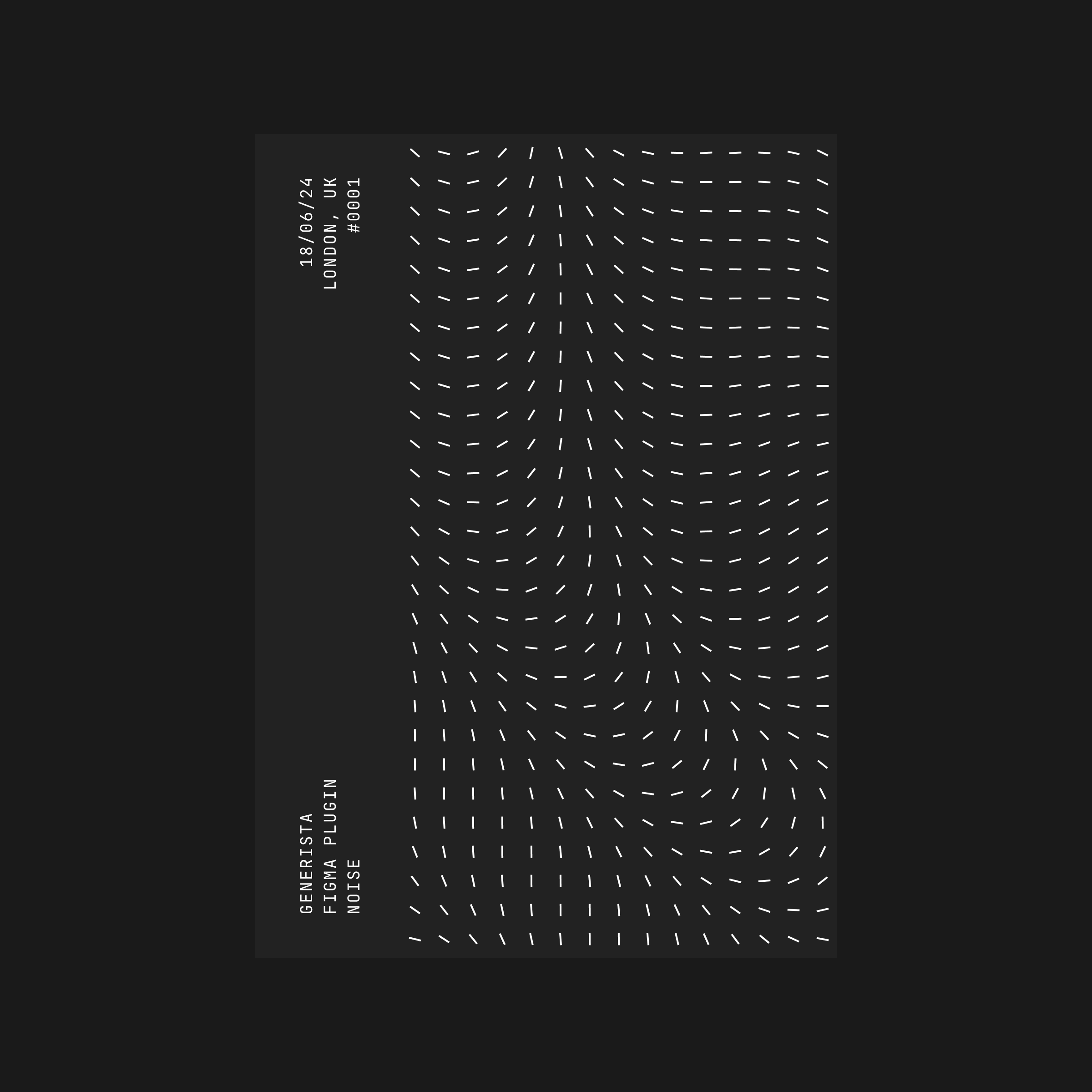
Generista is a powerful Figma plugin that lets you apply generative design techniques to create amazing artwork without writing code. There are many ways you can use it. Here are just a few of them:
- Graphic Design
- — Abstract patterns
- — Posters
- — Illustrations
- UI Design
- — Data visualization
- — Procedural UI
- — FUD
- 3D Design
- — Textures
- — Blueprints
How it works
You can think about the plugin as a grid generator that clones an object you select and applies a bunch of modifiers to change some properties of this object. By doing that, you can create a wide variety of patterns.
There are five modifiers you can experiment with:
- 1. Variants
- 2. Rotation
- 3. Position
- 4. Scale
- 5. Opacity
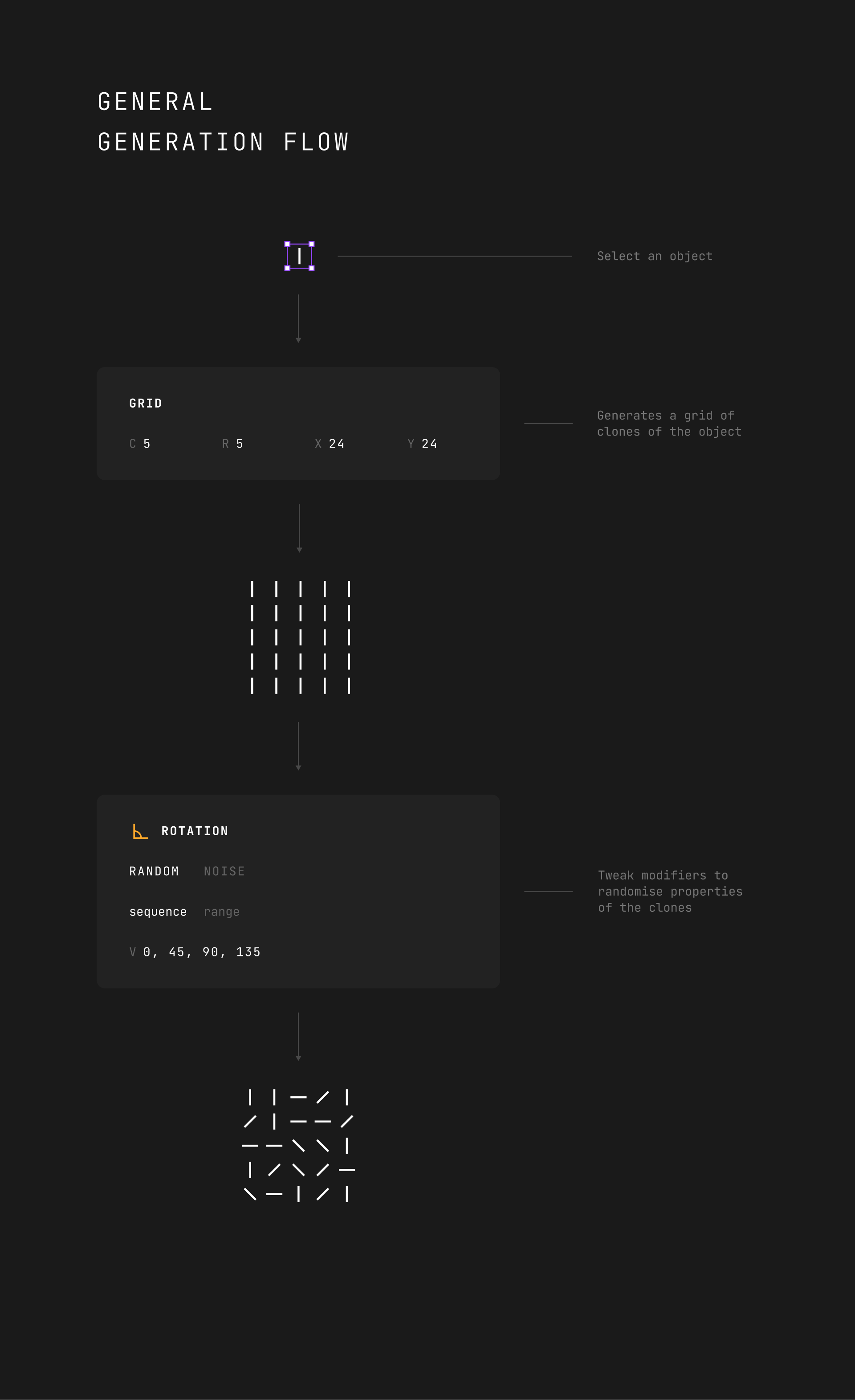
The general flow of creating generative artwork with the plugin looks like this:
- 1. You select an object.
- 2. Hit the Generate button to create a grid with the object's clones.
- 3. Tweak modifiers to update clones' properties.
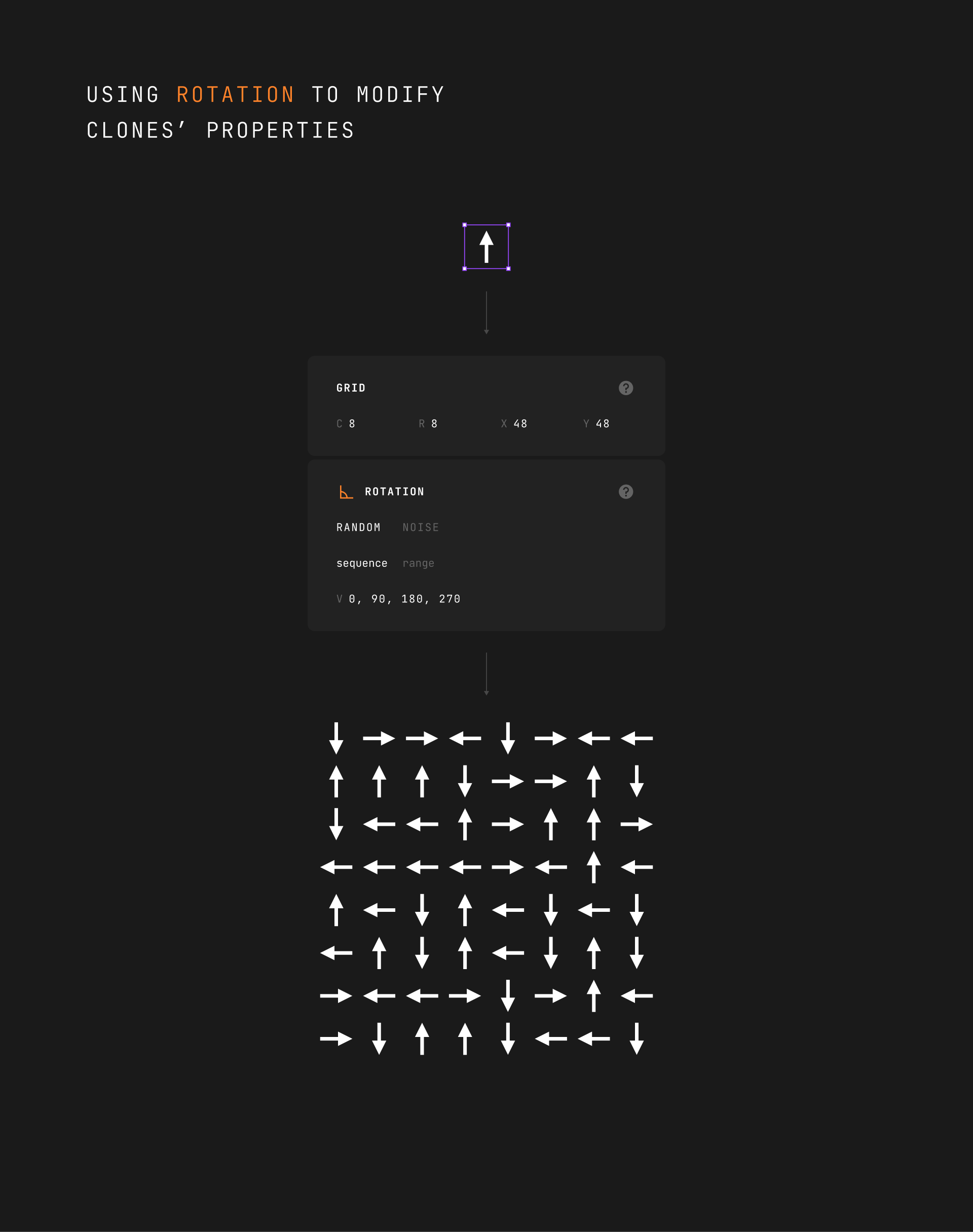
Here is an example of generating a grid of items and randomizing its rotation property:
Grid
It generates a grid with an object you selected by the size of C (columns) by R (rows) and offset for X and Y axes.
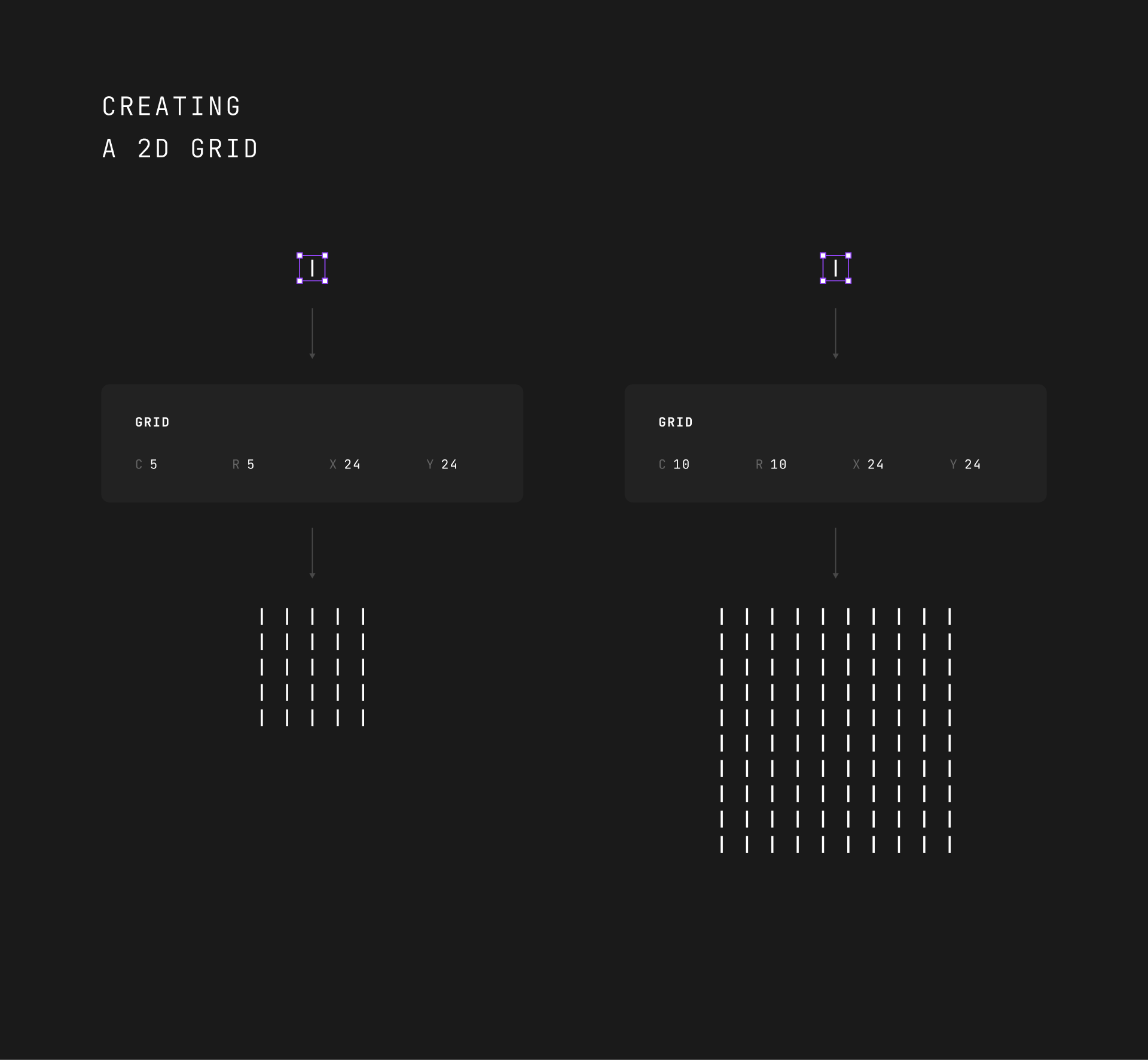
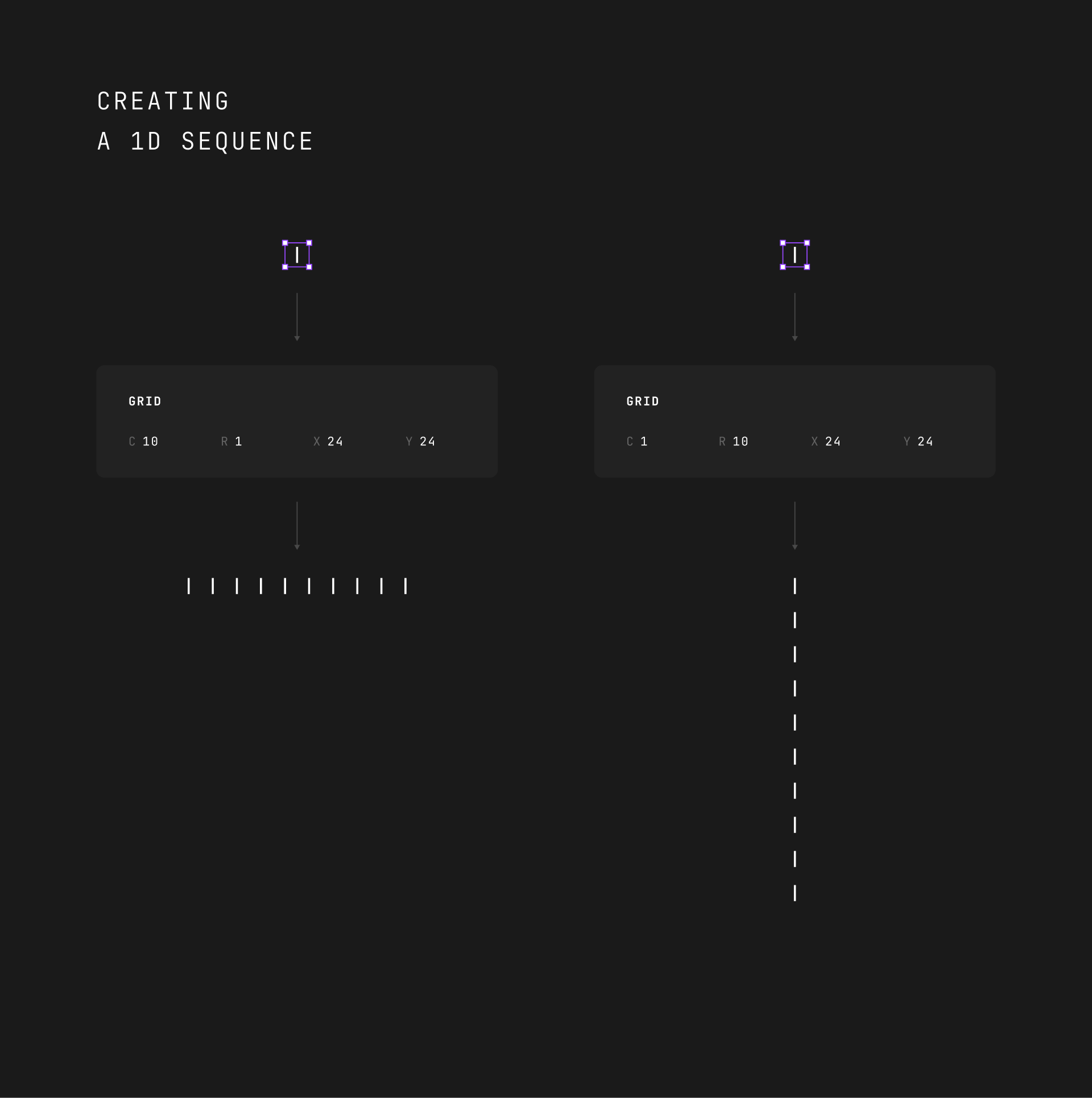
The 2D grid generator works very straightforwardly. Though you can also use it to create a 1D sequence by setting the number of columns or rows to 1.
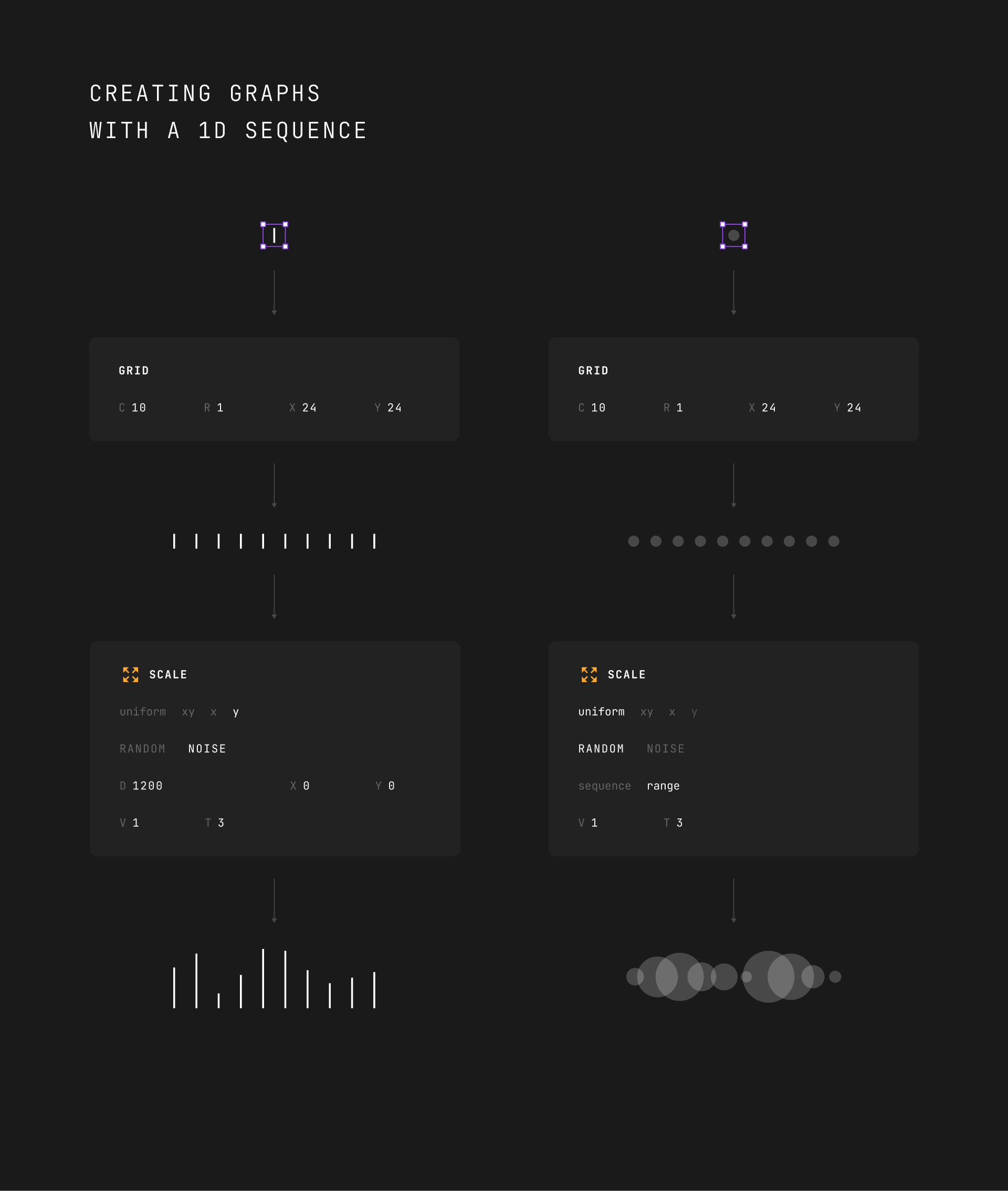
It might be useful for creating different types of graphs.
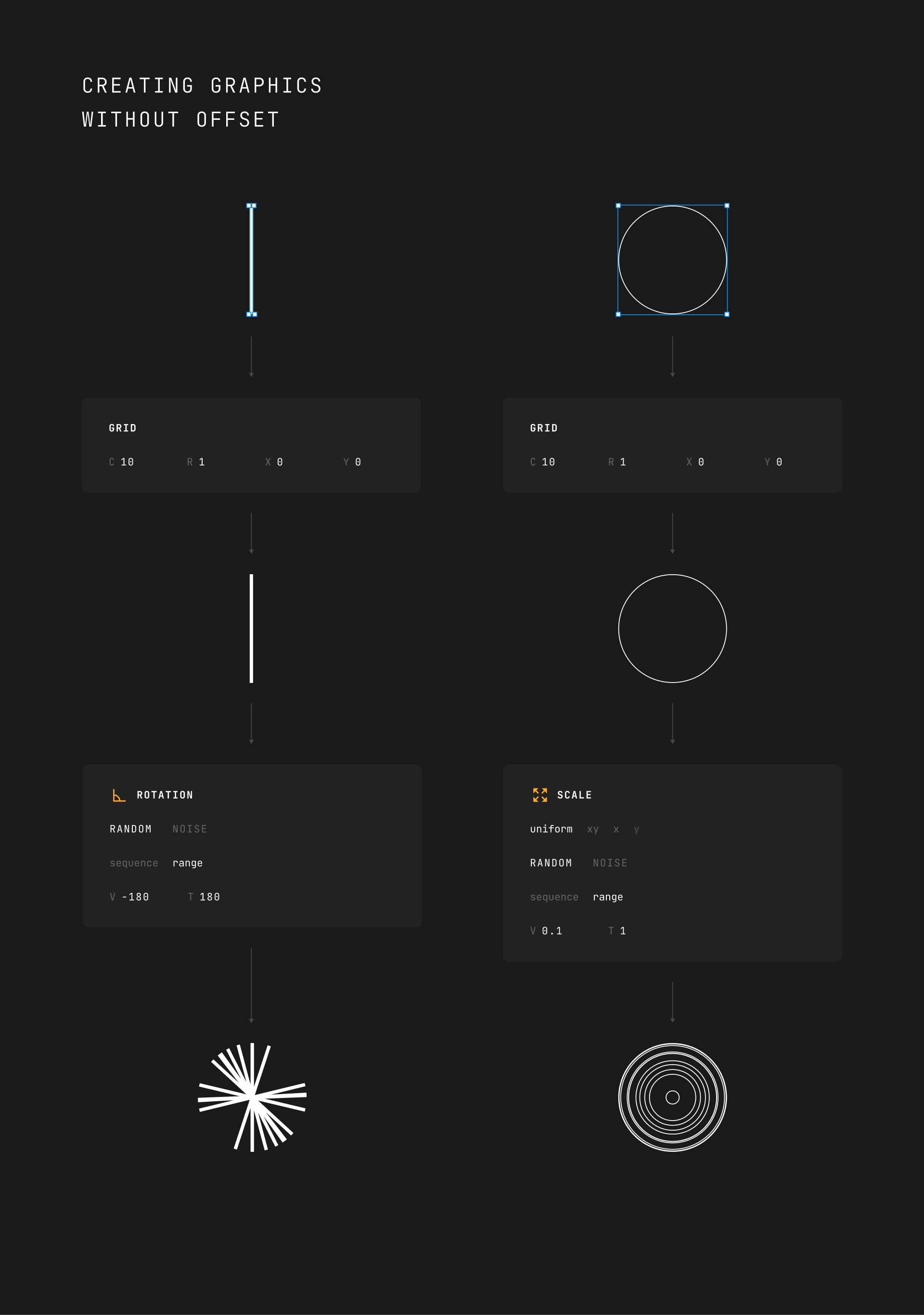
You might also want to generate a certain number of clones without any offset at all to make effects like this:
Variants
If you select an object that has different variants, you can generate clones within all its possible permutations. Using variants, you can encapsulate the randomization of colors, shapes, or even images.
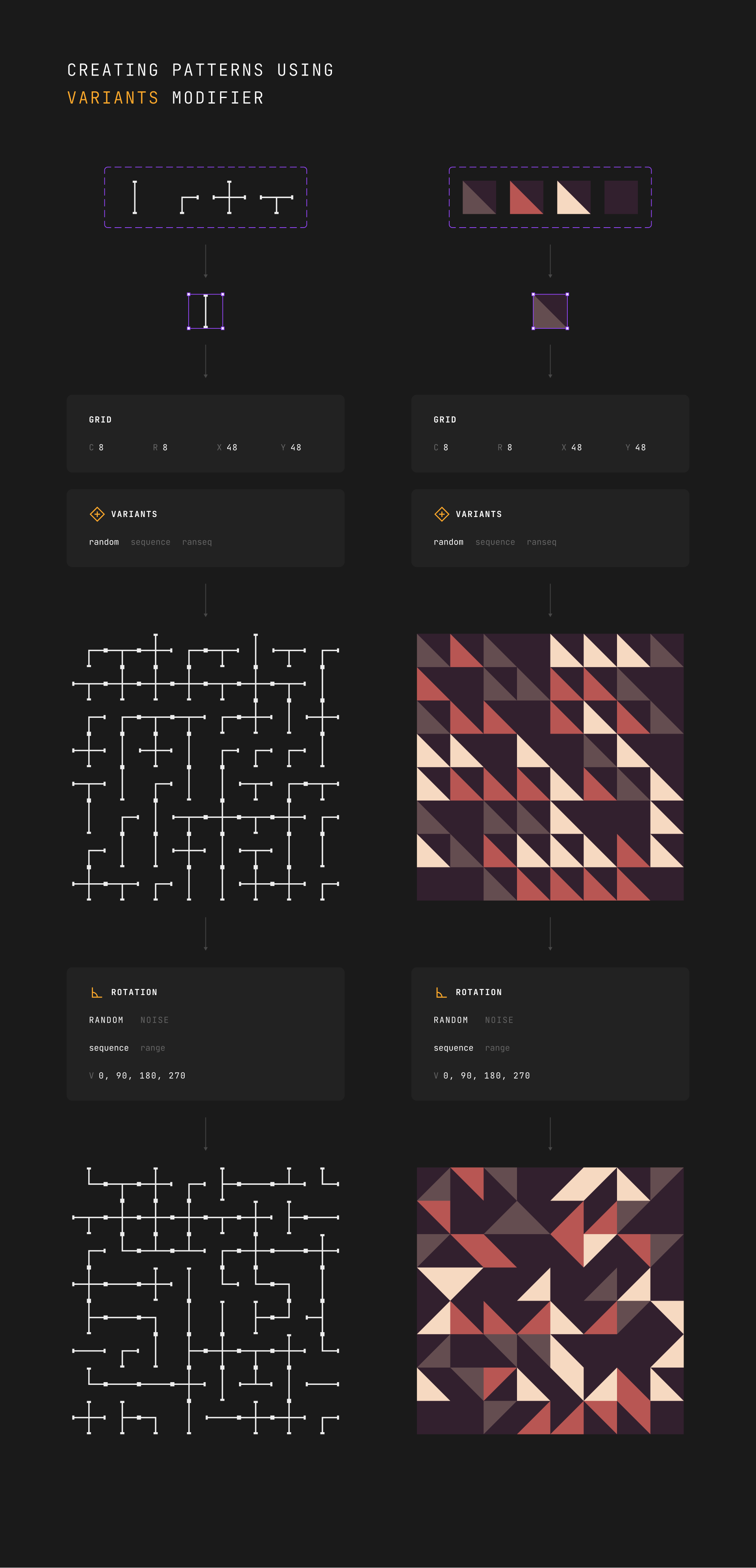
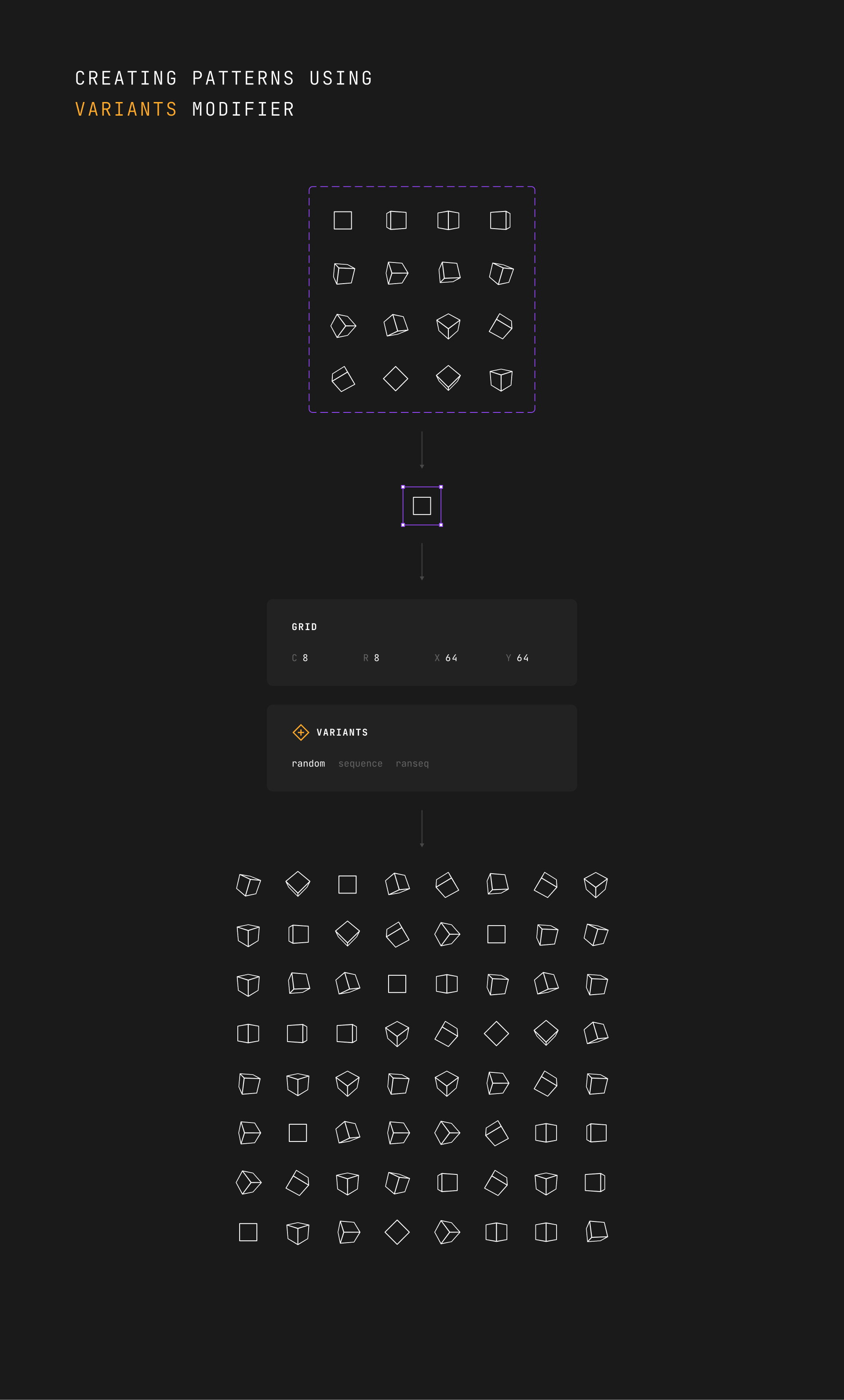
There are three modes to randomize variants:
- random
- sequence
- ranseq
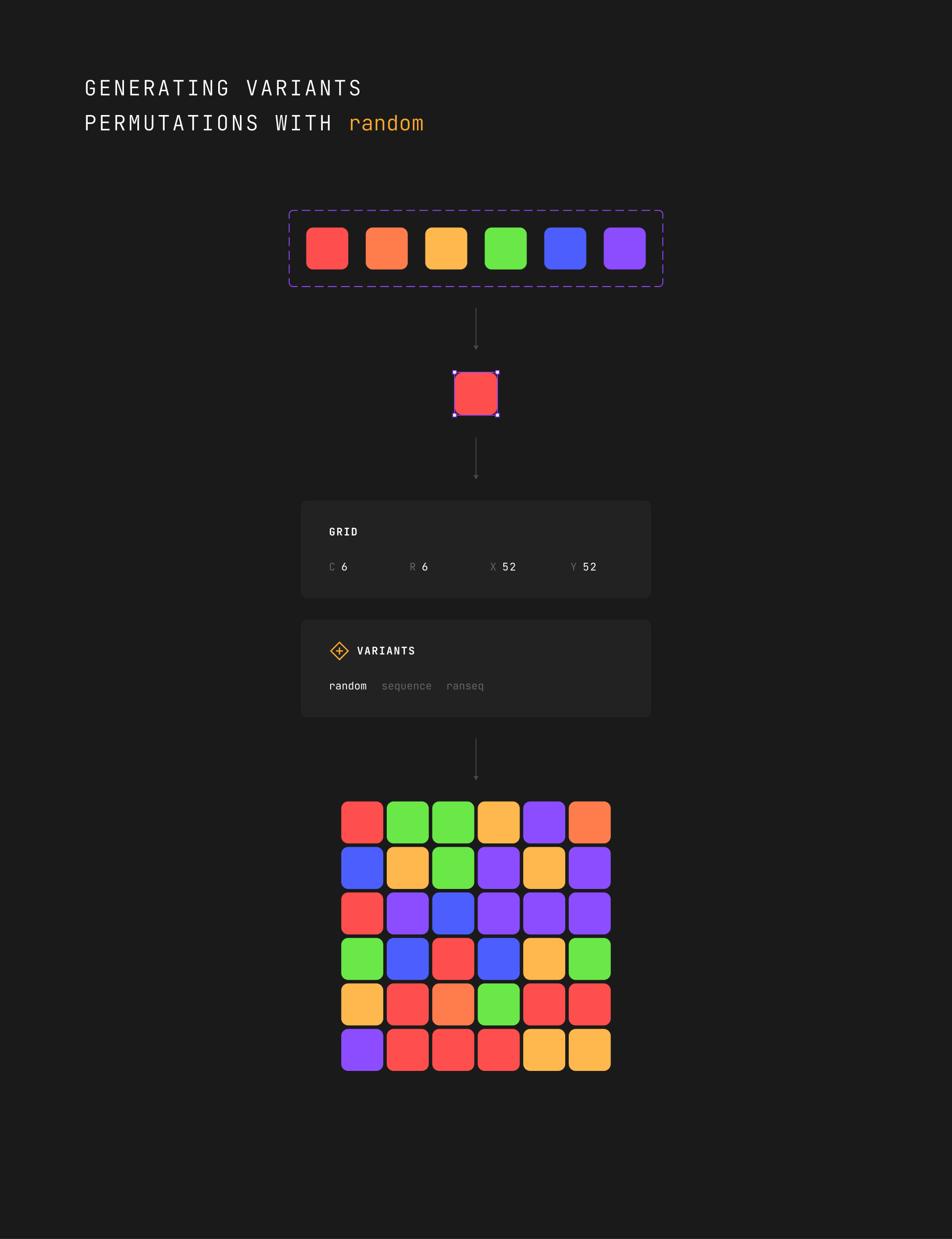
random
For each generated clone, the plugin randomly selects one of the possible permutations. It's completely random. Each pick isn't affected by what was picked before. It doesn't have memory.
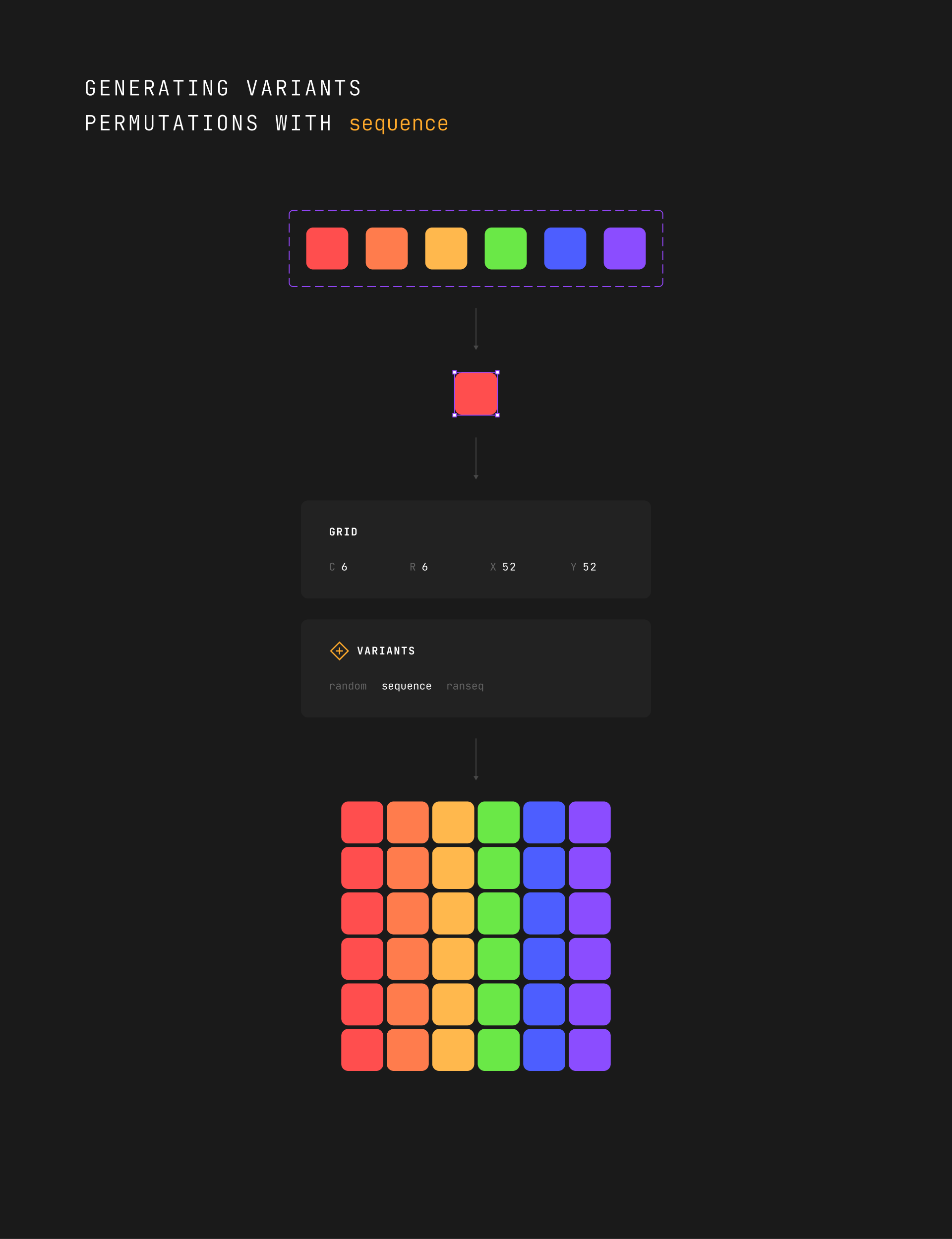
sequence
This mode allows you to generate all permutations in the order they were defined in the master component. If the number of clones was bigger than the number of possible permutations, the sequence would start over.
ranseq
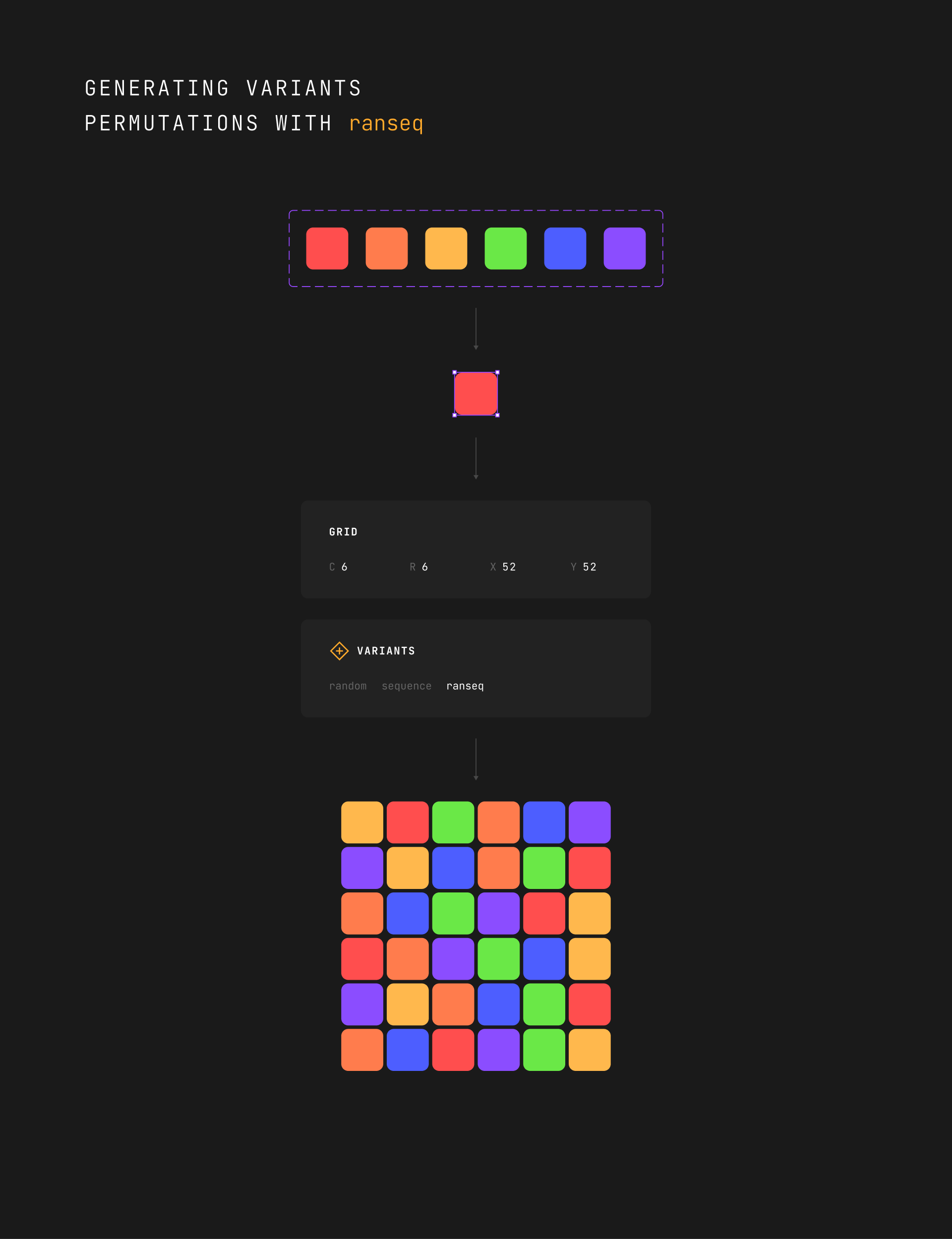
This mode combines the previous modes: random and sequence. In ranseq mode, it sequentially generates all permutations but in random order.
As shown in the example below, each row uses a unique color. But their order is randomized.
Random / Noise
Before we continue discussing the rest of the modifiers, I would like us to look at the difference between RANDOM and NOISE.
RANDOM
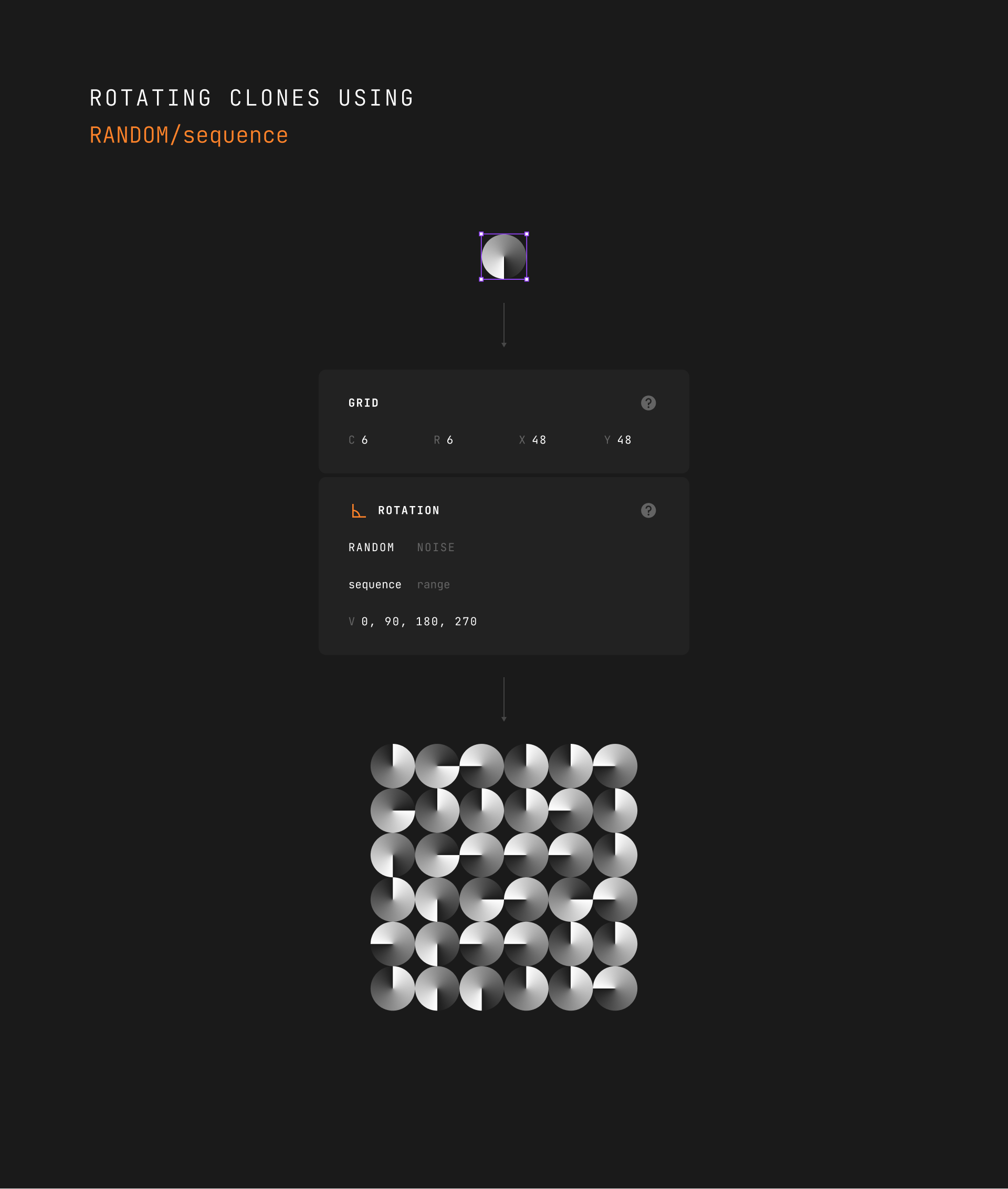
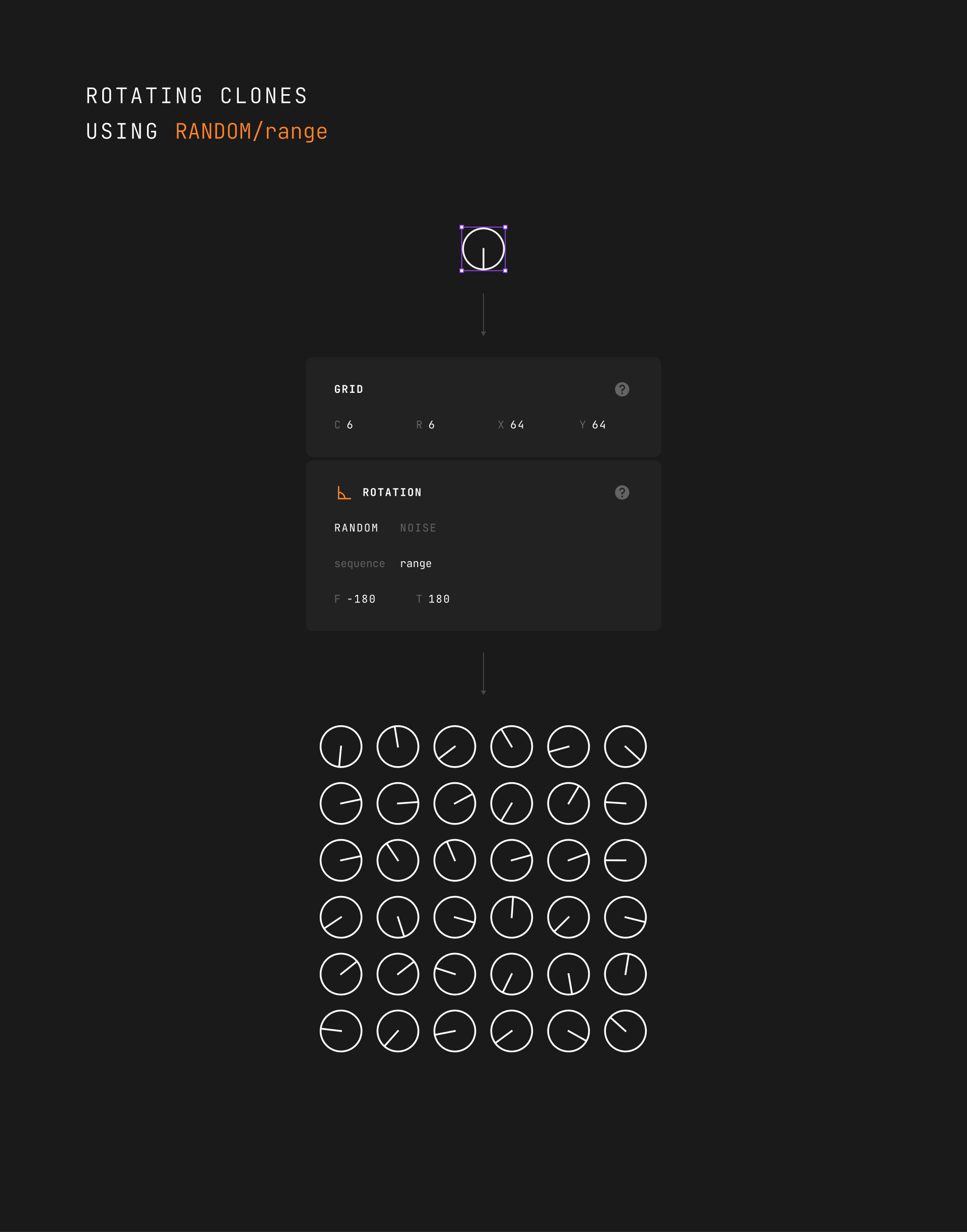
Random works the same way you roll a dice. Each roll result is independent of the previous rolls.
If you roll a dice six times, you can get something like [1, 4, 3, 6, 6, 1] or [6, 6, 6, 6, 6, 6].
In Generista, you can specify the range for random values or define a set of values, and then the plugin will randomly pick one of them.
NOISE
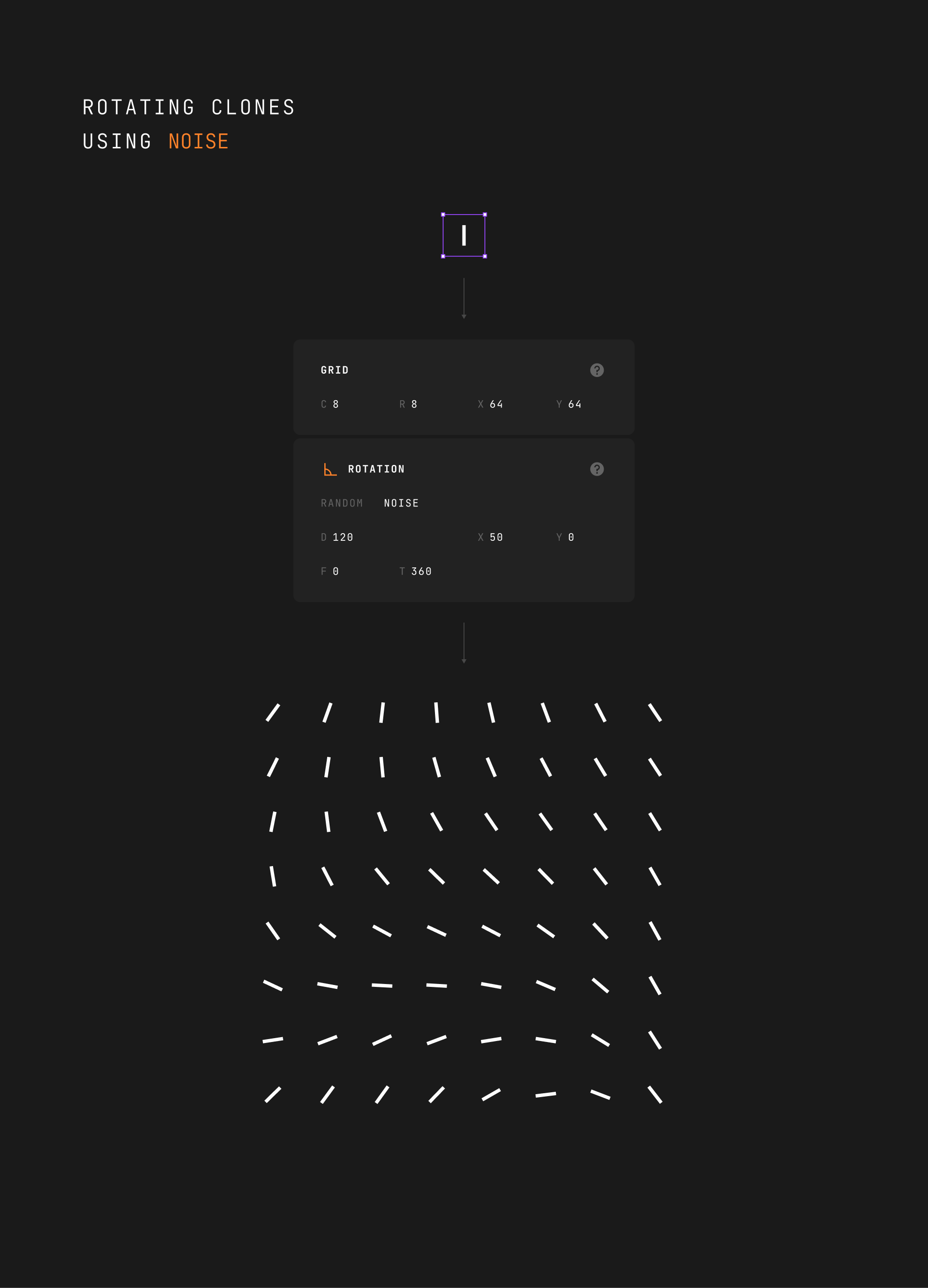
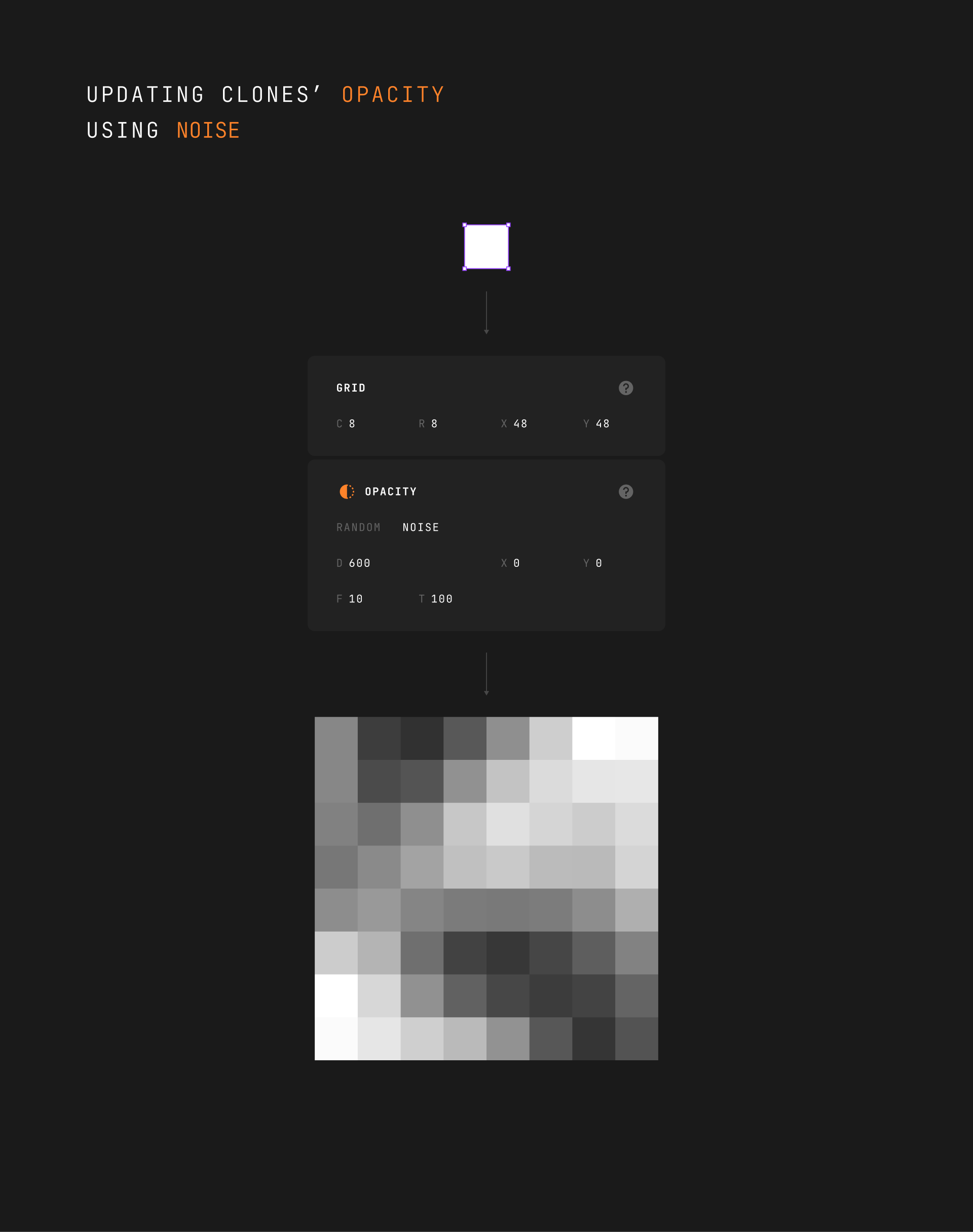
NOISE introduces a form of "randomness" in which each outcome depends on the previous ones. NOISE is great for generating organic patterns.
In the case of rolling a dice, you might get [1, 2, 3, 2, 3, 4] or [3, 2, 3, 4, 5, 6].
Rotation
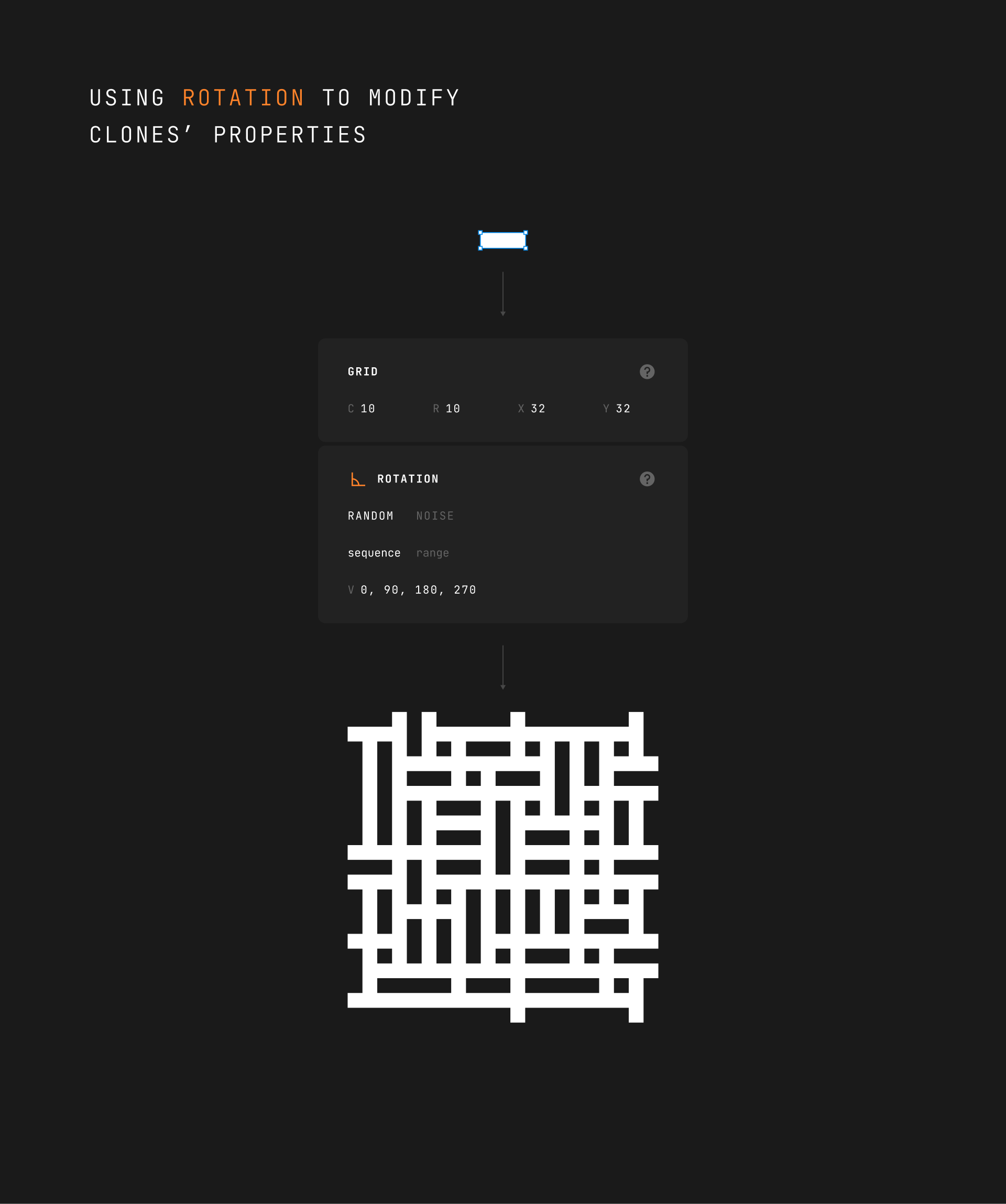
This modifier allows you to manipulate the rotation property of a clone.
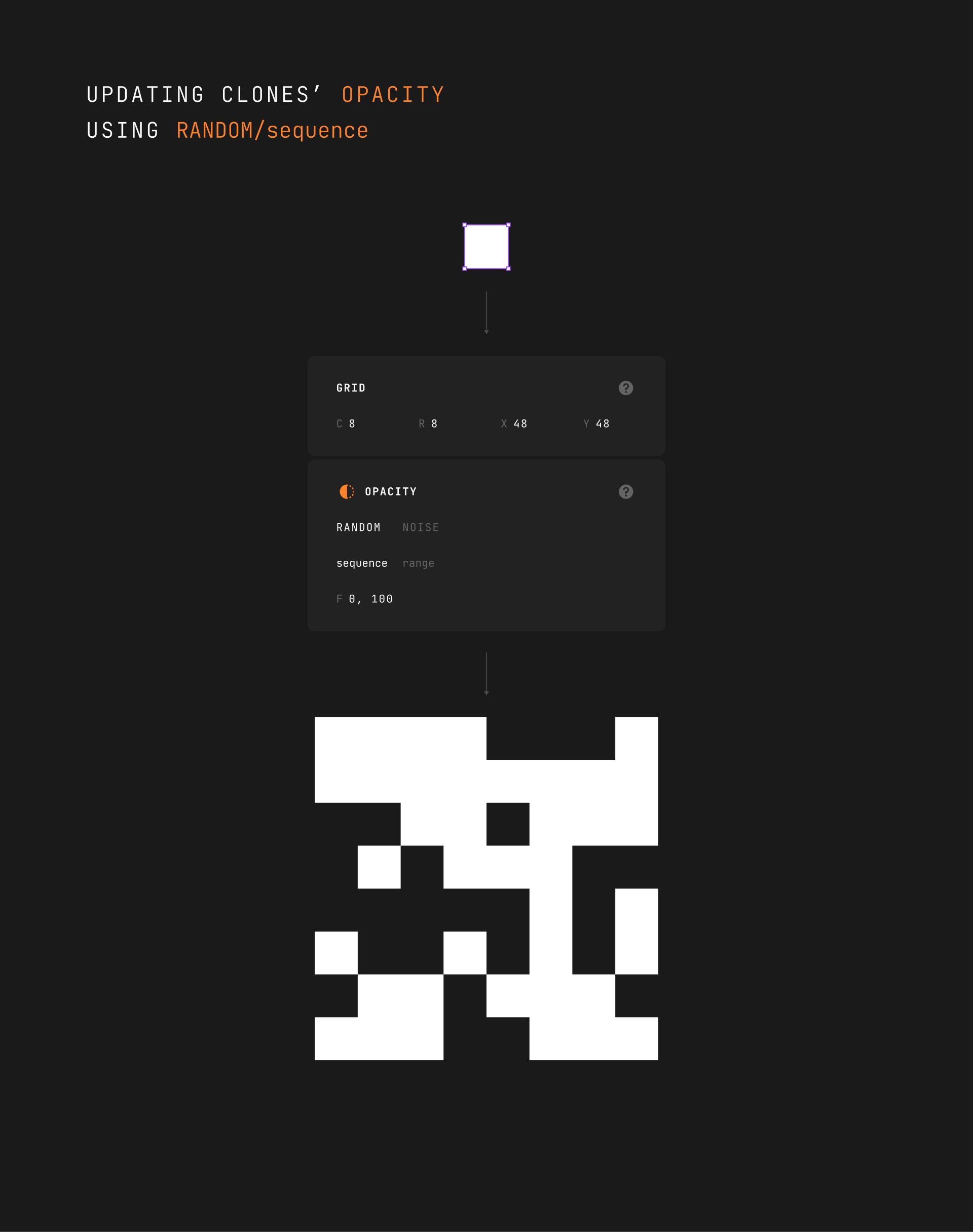
Opacity
This modifier allows you to manipulate the opacity property of a clone.
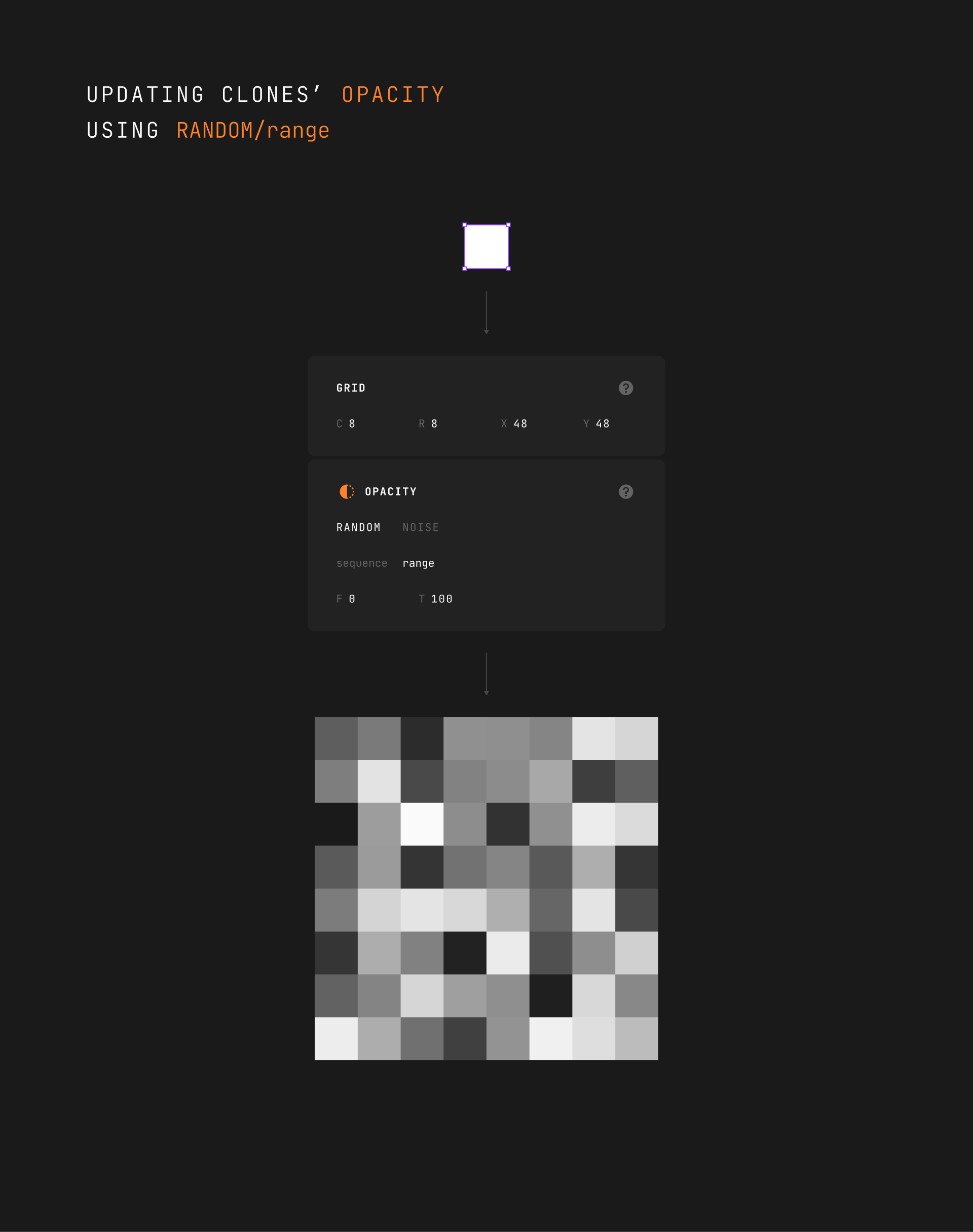
You can use the RANDOM/sequence algorithm with 0 and 100 to emulate the On/Off state.
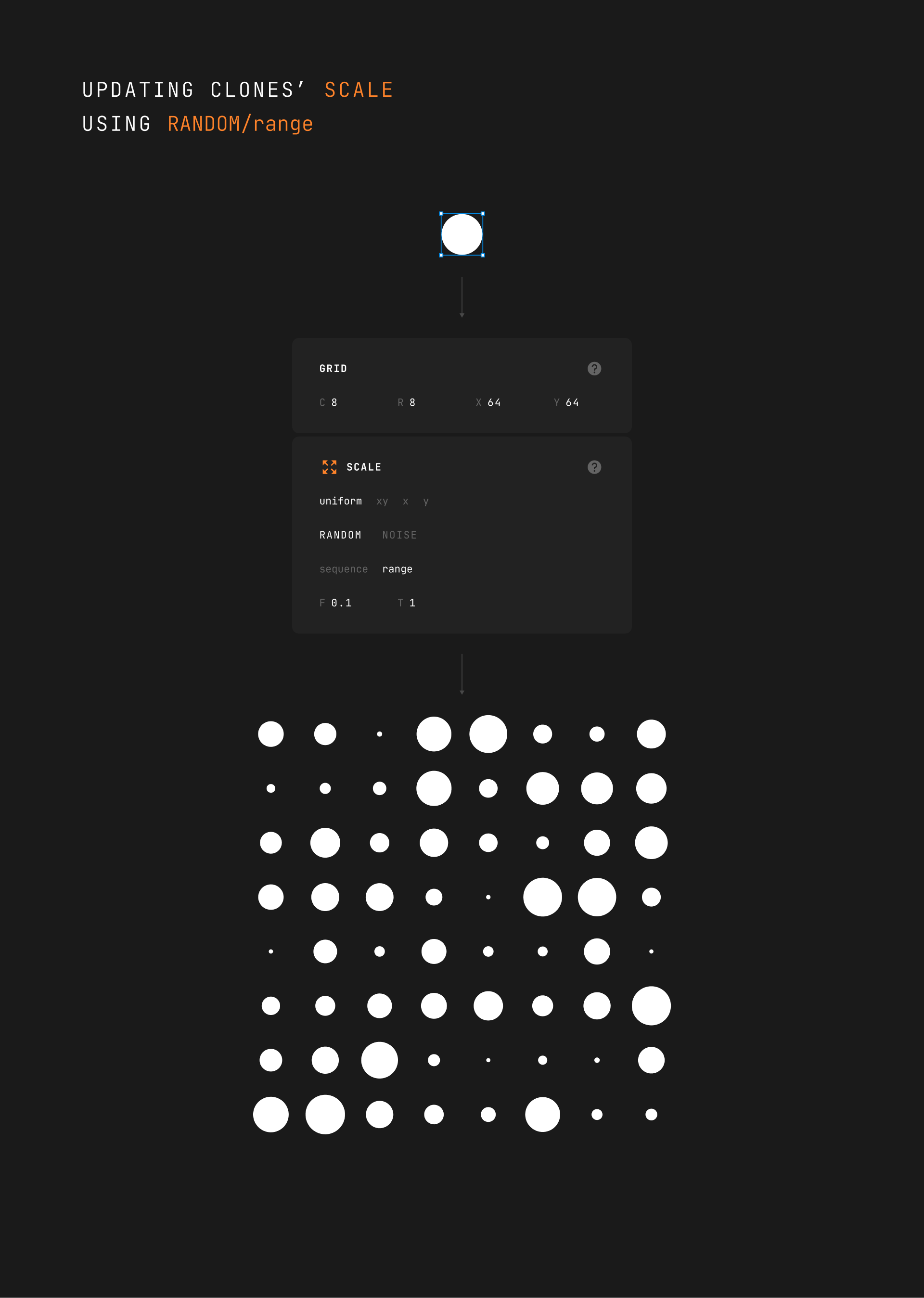
Scale
This modifier allows you to manipulate the scale property of a clone.
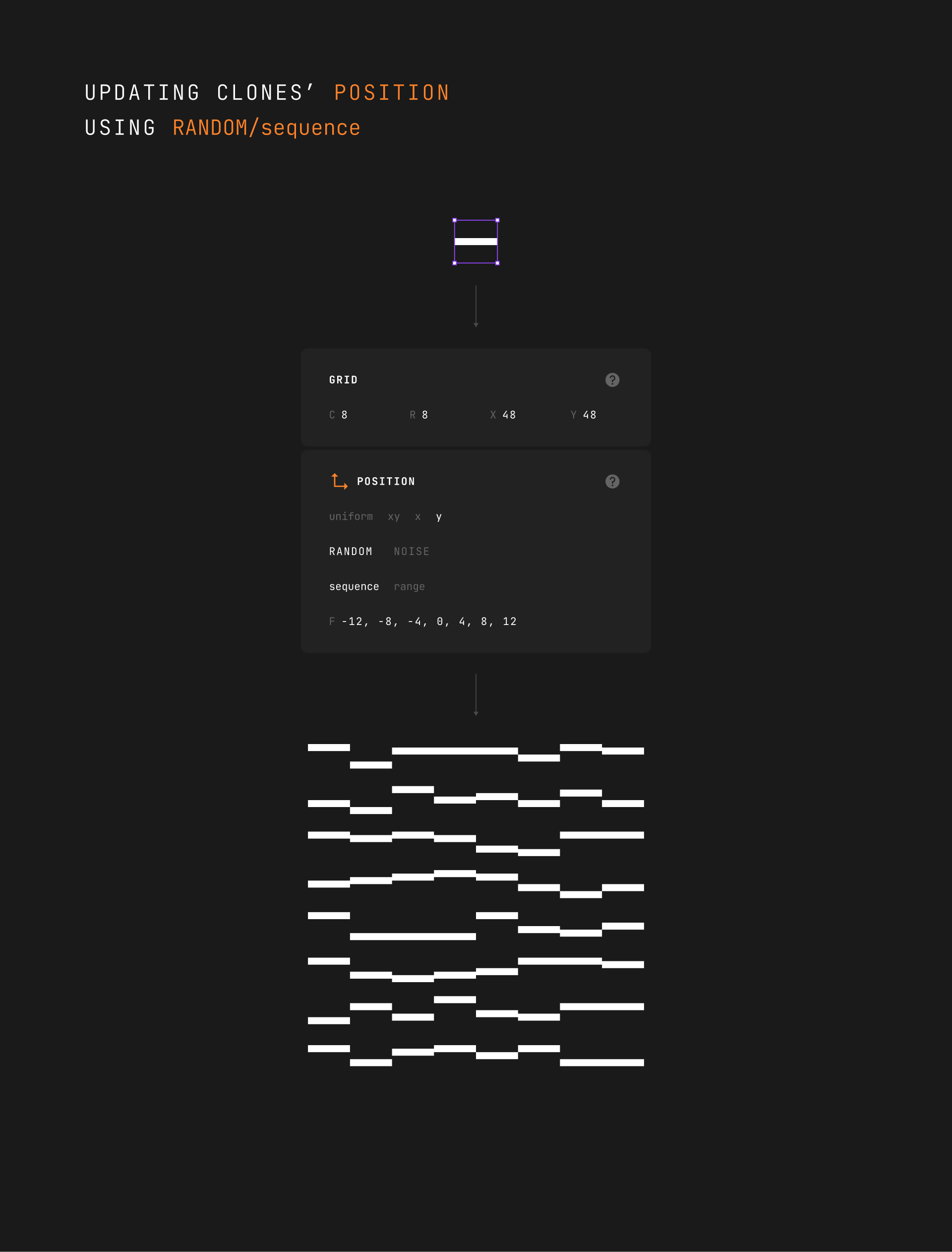
Position
This modifier allows you to manipulate the position property of a clone.
Mixing Modifiers
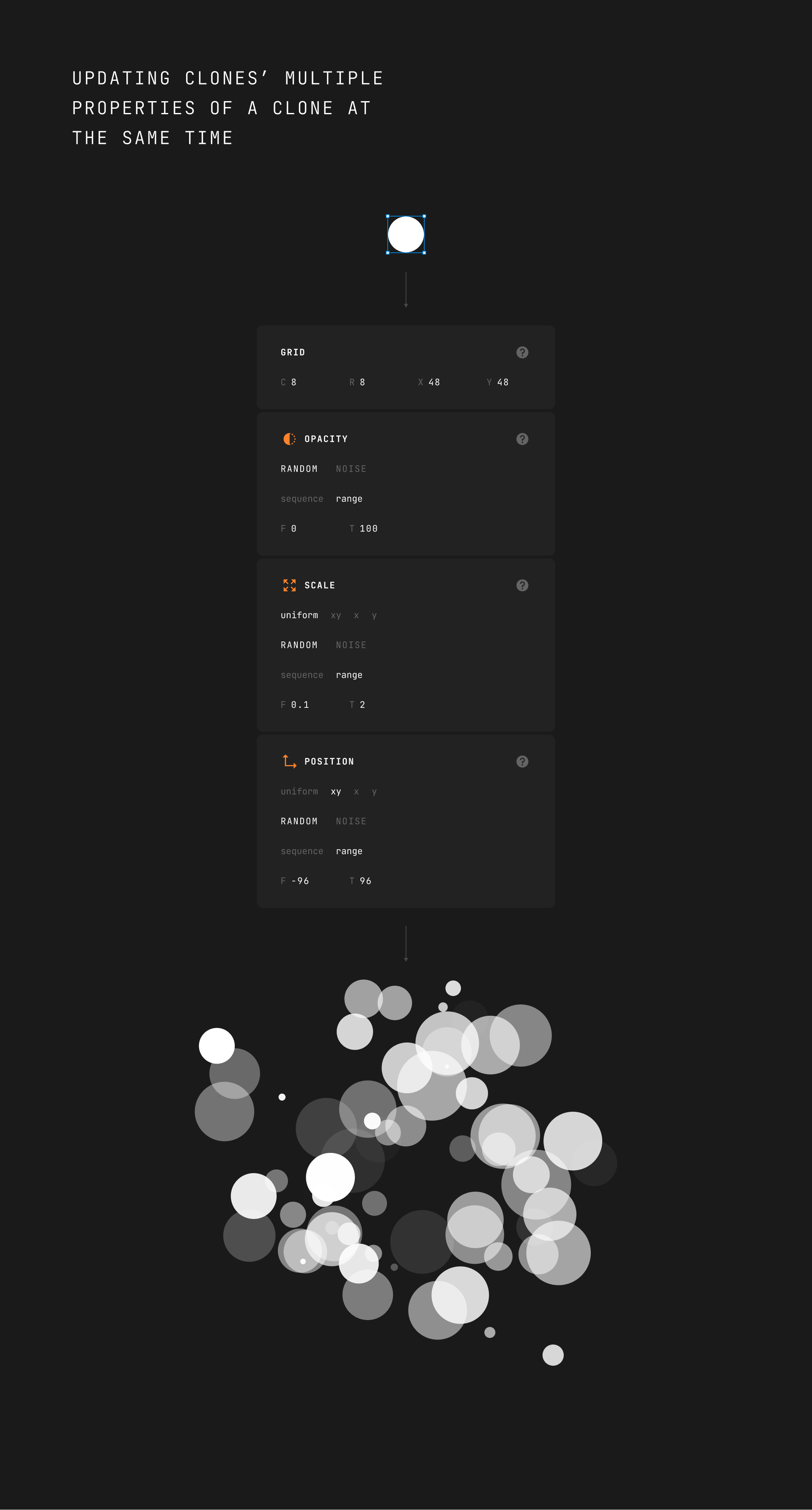
The full potential of the plugin comes with mixing different modifiers. The possibilities of what you can create are endless.
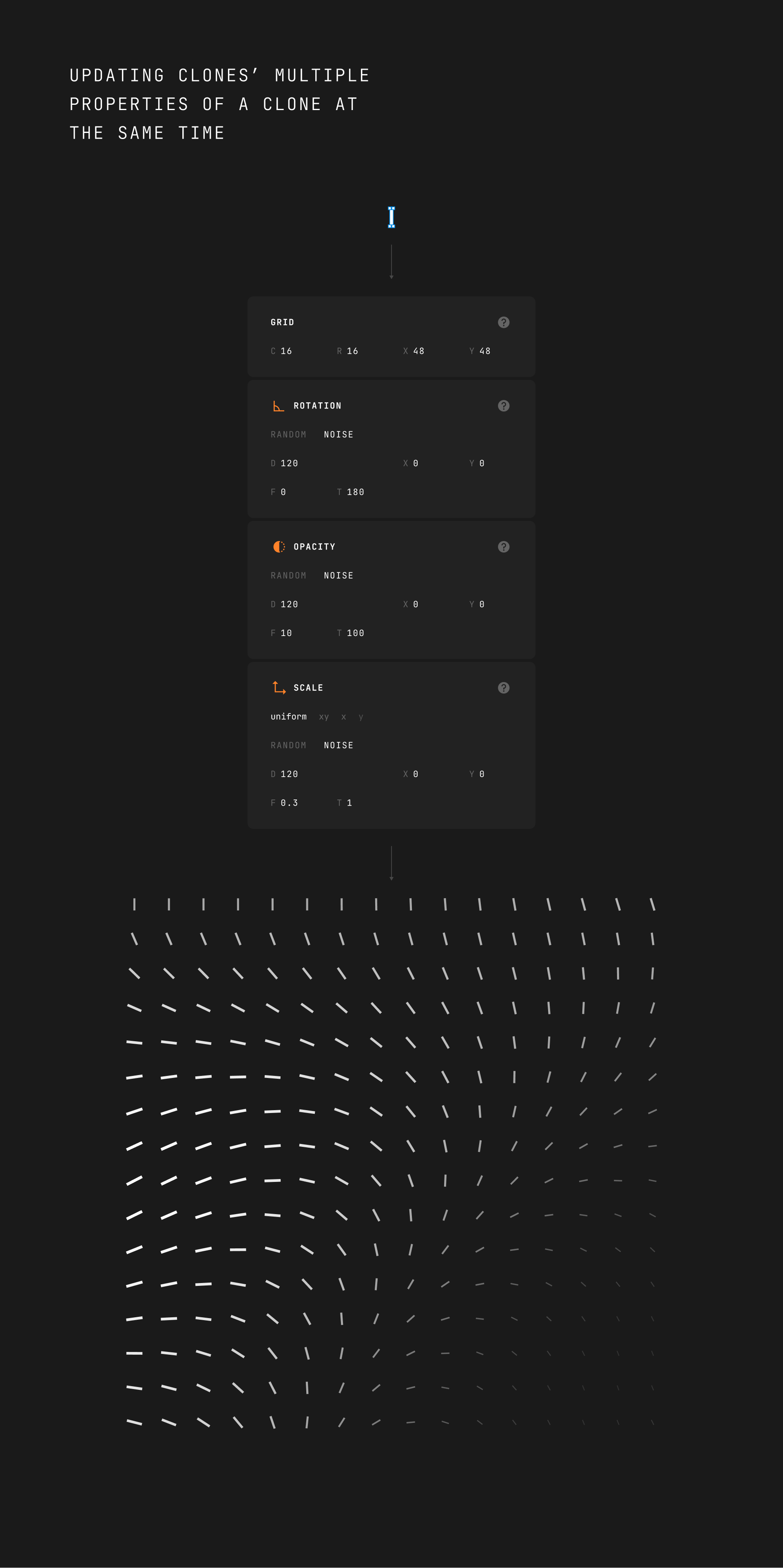
You can also use it as a particle generator!